What is the Daily Chest?
Every day, a single chest is tucked away somewhere in your feed. Keep scrolling to find it! Crack it open to claim your daily Arcs, then come back tomorrow for the next one.
What is the Daily Chest?
Every day, a single chest is tucked away somewhere in your feed. Keep scrolling to find it! Crack it open to claim your daily Arcs, then come back tomorrow for the next one.


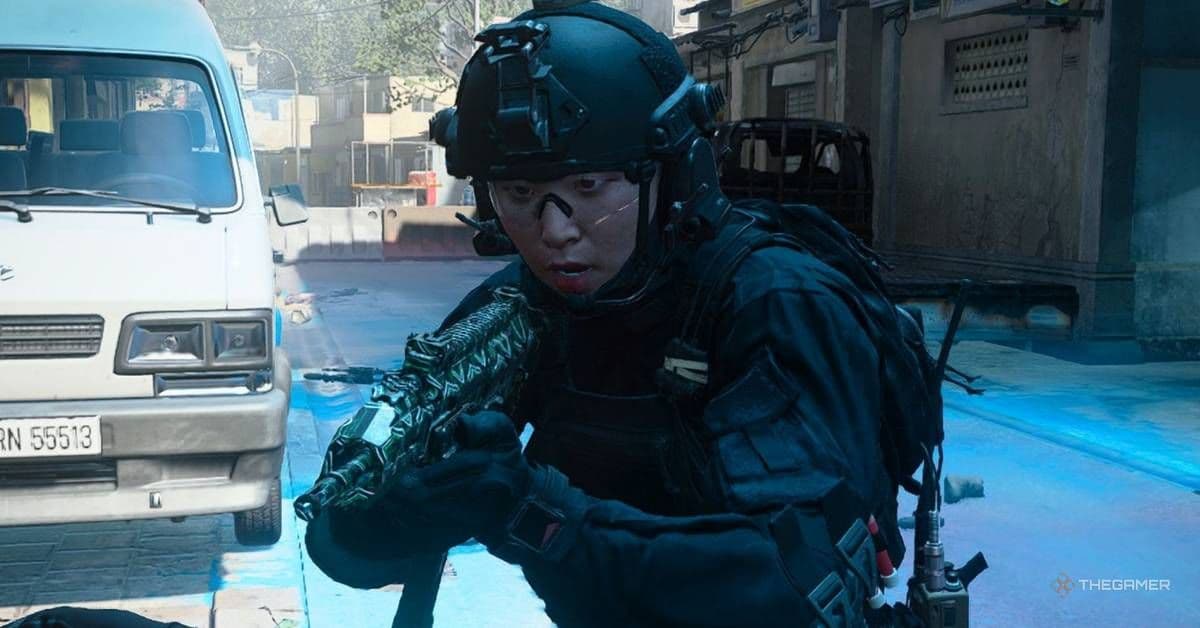
Call Of Duty: Modern Warfare 4 - All Game Modes, Explained https://t.co/ok9QSLOjTx

III days since Final Fantasy Resonance launched
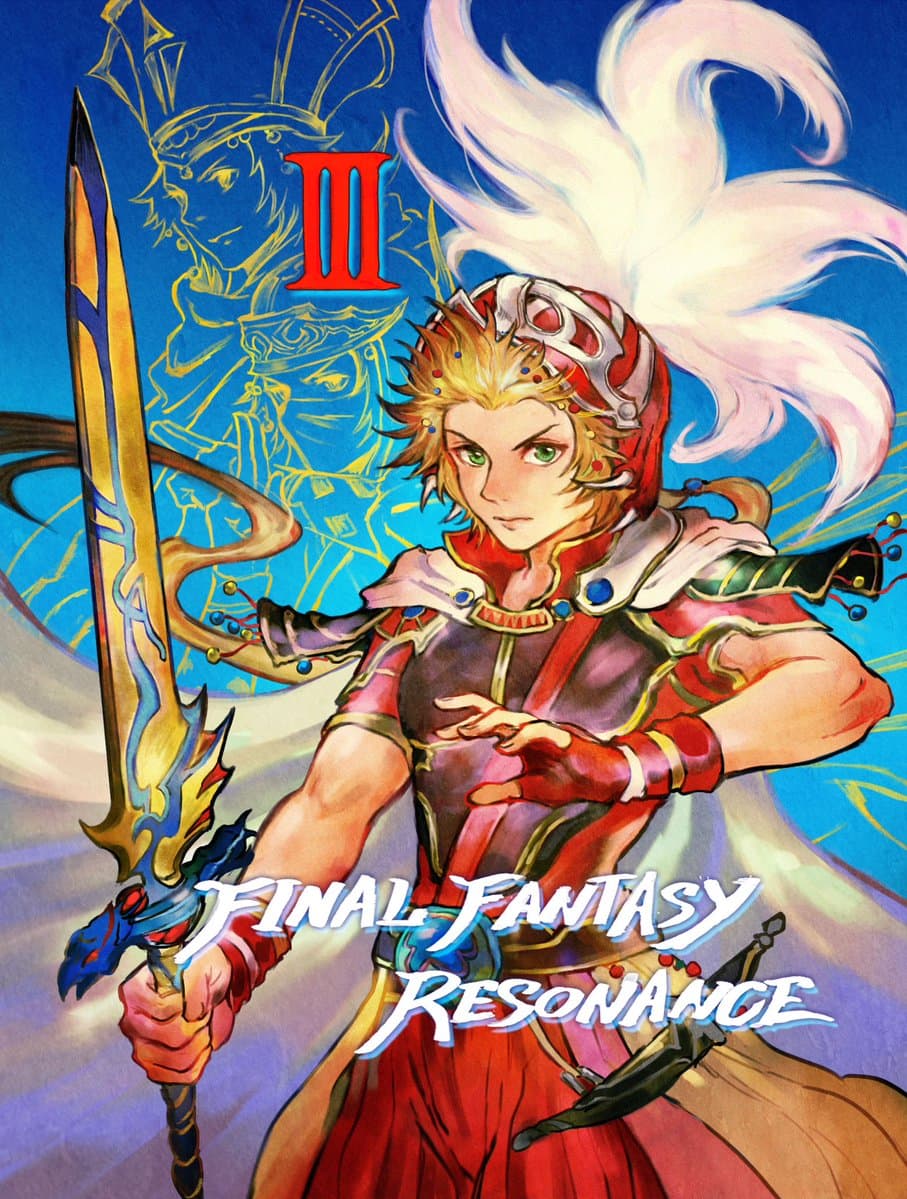
When the crystals call, destiny answers.
Art by Rina Yoshiura | FFTCG Artist
When the crystals call, destiny answers.
Art by Rina Yoshiura | FFTCG Artist


Hotfix for GemCraft 1 amulets/achievements + Gem creation amulet grind reduced
Hi Folks. Weekend hotfix incoming! We found the issue with GemCraft 1 amulets awarding all at once for folks, at random... we left a debug command in the game. Whoops! If you accidentally hit this debug trigger, it awarded you all amulets and achievements for the game.
So this build does a few things:
• Removes the debug command, so it won't happen to anyone in the future
• Adds a button to the amulets screen of GemCraft 1 (bottom left); this button will revert your amulets (and steam achievements!) to their correct state, mostly. It'll remove amulets and achievements that you didn't rightly earn, and then check and award the ones that you did earn legit. There may be a few battle-specific amulets that you'll have to re-do. Again, apologies here. And if you want to keep the amulets and achievements... you don't HAVE to press the button. Nobody is forcing you.
Also, we hear you on the grind for 1 specific amulet in GemCraft 1. We've lowered the requirement for gems created amulets down to 500 / 1000 / 2000. This was 8000 for gold, previously (and it was 12,000 in the original games!)
More fixes coming next week! Thanks for enjoying and sharing all of your thoughts with us! I am once again asking for your review, as they help so much!
Enjoy,
-Tass from Armor Games Studios
So this build does a few things:
• Removes the debug command, so it won't happen to anyone in the future
• Adds a button to the amulets screen of GemCraft 1 (bottom left); this button will revert your amulets (and steam achievements!) to their correct state, mostly. It'll remove amulets and achievements that you didn't rightly earn, and then check and award the ones that you did earn legit. There may be a few battle-specific amulets that you'll have to re-do. Again, apologies here. And if you want to keep the amulets and achievements... you don't HAVE to press the button. Nobody is forcing you.
Also, we hear you on the grind for 1 specific amulet in GemCraft 1. We've lowered the requirement for gems created amulets down to 500 / 1000 / 2000. This was 8000 for gold, previously (and it was 12,000 in the original games!)
More fixes coming next week! Thanks for enjoying and sharing all of your thoughts with us! I am once again asking for your review, as they help so much!
Enjoy,
-Tass from Armor Games Studios

Otherside Tapes: Favela já tá na Steam. Terror found footage brasileiro, dos criadores de FOBIA e A.I.L.A., numa comunidade amaldiçoada.
Bora ver quem aguenta até o final.
Jogue agora na Steam:
https://t.co/A7jHXkSsZQ
Bora ver quem aguenta até o final.
Jogue agora na Steam:
https://t.co/A7jHXkSsZQ
Empty the Lake! — Gameplay Update
Empty the Lake! — Gameplay Update
Thank you for playing Empty the Lake! and sharing your feedback! This update brings improvements to progression, upgrades, exploration, and overall gameplay based on your suggestions.
A Much Longer Experience
• The game is now considerably longer, with more progression and upgrades to work towards.
• Rebalanced the economy to make progression more satisfying throughout the experience.
• Adjusted upgrade prices to better match the game's progression.
• Added new upgrade levels for Sprint and Pump.
• Expanded the Power upgrade system with new levels.
• Improved water delivery to reduce unnecessary backtracking.
Delivery Platforms
• Added additional delivery platform locations around the lake.
• Added a new Delivery Points preview in the shop, allowing you to see platform locations before purchasing them.
• Added world markers to help you find purchased delivery platforms.
Secret Items
Achievements
• Added new Steam achievements to reward progression, upgrades, exploration, and completing the lake.
Improvements
• Improved collision and general gameplay polish.
• Made various balance adjustments based on player feedback.
• Thank you for supporting Empty the Lake! More improvements may come in the future. Enjoy draining the lake!
https://store.steampowered.com/app/5291460/Empty_The_Lake/
https://store.steampowered.com/bundle/92918/Brick_x_Empty_The_Lake/ https://store.steampowered.com/bundle/92015/%EF%B8%8F_Someones_Here_x_Empty_The_Lake/ https://store.steampowered.com/bundle/92445/Coffee_Keeper_X_Empty_The_Lake/
Thank you for playing Empty the Lake! and sharing your feedback! This update brings improvements to progression, upgrades, exploration, and overall gameplay based on your suggestions.
A Much Longer Experience
• The game is now considerably longer, with more progression and upgrades to work towards.
• Rebalanced the economy to make progression more satisfying throughout the experience.
• Adjusted upgrade prices to better match the game's progression.
• Added new upgrade levels for Sprint and Pump.
• Expanded the Power upgrade system with new levels.
• Improved water delivery to reduce unnecessary backtracking.
Delivery Platforms
• Added additional delivery platform locations around the lake.
• Added a new Delivery Points preview in the shop, allowing you to see platform locations before purchasing them.
• Added world markers to help you find purchased delivery platforms.
Secret Items
Achievements
• Added new Steam achievements to reward progression, upgrades, exploration, and completing the lake.
Improvements
• Improved collision and general gameplay polish.
• Made various balance adjustments based on player feedback.
• Thank you for supporting Empty the Lake! More improvements may come in the future. Enjoy draining the lake!
https://store.steampowered.com/app/5291460/Empty_The_Lake/
https://store.steampowered.com/bundle/92918/Brick_x_Empty_The_Lake/ https://store.steampowered.com/bundle/92015/%EF%B8%8F_Someones_Here_x_Empty_The_Lake/ https://store.steampowered.com/bundle/92445/Coffee_Keeper_X_Empty_The_Lake/
Update v1.1.0: Auto-buy, safer saves, an Islands overview and a lot more light
This one grew far bigger than a hotfix, so it gets a new number. It's everything since v1.0.8, and most of it started in your reviews and reports.
Auto-buy
"No upgrade automation," said qoo462002's review, and that was fair. Settings → Auto-buy:
• It opens with your first ascension for arm upgrades and with your third for Flow upgrades. Every ascension after that makes it quicker.
• Pick which arm upgrades it buys, and how much of your coins a single purchase may cost (1 to 100 %), so you can still save up for something big.
• It always takes the cheapest of what you picked first, a few at a time.
Safer saves
A crash or power cut at the wrong moment could leave a save file broken, and some of you lost progress that way. The game now checks every save file when it starts. If one can't be read, the copy from your last start comes back instead, and the broken file is kept aside.
Less clicking
• Buy all in the arm panel buys the island's cheapest upgrade again and again until the coins run out, so your coins go as far as they can (thanks to DJTrickyM for the idea). The Upgrades panel's Flow and Coins tabs have it too.
• Islands overview (key I, or the new button next to Upgrades): every island of the realm on one page, with its coins a second, a bar against your best island, its specialty, power and runes. Click a row to open that island.
• Copy to all islands, a new button in the arm panel. On the Upgrades tab it brings every other arm up to this one's levels, cheapest first, as far as your coins go. On the Runes tab it copies the specialty and fills empty sockets with matching runes from your bag.
• The arm panel no longer jumps to the other side of the screen when you switch islands with the arrows, and the list stays at the same spot, so you can compare islands row by row (also DJTrickyM). It shows how many coins a second the island brings in, and hovering an upgrade's name tells you what it does.
• The Exchange has Bring all here : every other realm's coins into the one you're playing in one click, with the total shown first.
• Keyboard shortcuts: U Upgrades, R Realms, E Exchange, C Crystal Shop, I Islands, and ← / → to switch islands in the arm panel (all listed in Settings → Controls).
• The ascension dialog now shows what you reset in real numbers (your coins, Flow levels, islands and arm levels), your crystals before and after, and what this ascension unlocks. A notification tells you when the realm you're playing is ready to ascend.
Runes
• Specialty and runes have their own Runes tab in the arm panel once they unlock, so the upgrades aren't buried under them.
• The rune bag filters by rune type: All, or one type's icon (thanks daMagerLDN!).
• Salvage all per rarity for runes that aren't in a socket; Rare and better ask first. A locked rune is never salvaged.
• Sockets glow in their rune's rarity with its strength below, and the links between them turn gold on a full set. Equip goes into the socket you picked, or the first empty one.
• Specialty descriptions no longer get cut off (daMagerLDN again), and anywhere in the game a name that doesn't fit now scrolls when you hover it.
Effects and sound
I went through nearly every effect in the game:
• Ascending is smoother from start to finish, and the next realm builds itself with dust and light as each piece lands. New islands do the same.
• The Drift Zone is a soft current of light with arrows gliding to the island, more of them as it levels up.
• The arm magnet draws thin tethers of light to the coins it pulls: more, wider and brighter with Magnetism. It leaves coins that have already fallen in alone.
• During Boost, rings of light rise the whole length of the pipe in your realm's colours, closer together and quicker the stronger the Boost. Arm upgrades stream up into the arm, the golden coin forms out of light and breaks back into it, and a new coin tier gets its own moment on screen. Gold Rush is quiet now: small packets of light running round the window's edges, more of them the more Gold Rush you've stacked up.
• The finer coins leave a faint, glittering trail in their own colour as they fall and fly, a little more the rarer they are.
• Each island has a sigil on its floor that breathes with its income. In Pumpkin, Snowfall, Tropic and Casino all of this takes the realm's own colours.
• Coins clink in several sounds that change with the tier, Buy all plays its purchases as a little rising tune, an upgrade that becomes affordable while its panel is open dings, and holding Space climbs in pitch.
• Too much? Settings → Graphics → Effects : Minimal, Normal or Full. Screen shake happens only in fullscreen by default; you can set it to always or off.
Settings
• Graphics → Interface size, from 80 % to 130 %, and Coin popup size for the numbers rising off coins, from 50 % to 150 %.
• Language → Number format : 1.23Qa or 1.23e15, for when the suffixes stop being readable.
• Audio → Mute in background : silent while another window is active.
Fixes
• Nine achievements couldn't be earned and didn't show in the Achievements panel: Golden Touch, Master Collector, Matched Set, Set Collector, Specialist, Pumpkin Patch, Winter Wonderland, Beach Day and High Roller. Sorry about that. If you already qualify, they unlock as soon as you start the game. Thanks to GeneralGoose6941, whose report about the Achievements button led me to it. If that button still does nothing for you, please post in the discussions.
• The game world not showing: thanks to xSynÇ for staying with this one and sending screenshots. On some PCs only the buttons showed. I couldn't reproduce it, so this is my best guess rather than a sure fix: a few seconds after starting, the game now checks whether the world is being drawn, and if it isn't, it tries simpler ways of drawing it and keeps the one that works. If it still happens to you, please post in the discussions; the game now writes down what it tried.
• Clicking an island's buttons quickly sank them into the island, one press at a time, until they were gone (thanks dr_oculus!).
• Numbers just under a step, like 9.999T, showed as "10.00T"; they now read 10.0T. Coins per second read "+244M/s" without the gap (thanks daMagerLDN!).
• Coins now come down the pipe from the top of the screen instead of popping up half way down the tube. They still reach the plateau just as quickly.
• Milestone notifications wrote numbers like "100,00M"; they now look like every other number in the game.
• The 7-day streak achievement asked you to come back every day, which isn't what a desktop idle should do. It's now Trade Route : exchange coins between two realms. If you already had it, you keep it.
• The Crystal Shop's Auto-Pour now says what it is: a burst on a recharge, on top of the steady stream from Auto Flow, not the same thing.
• The news list in Settings shows the latest 3 posts.
• A reminder, since a review asked: your progress has been saved to Steam Cloud since v1.0.4.
A small favour
Coin Harvest is made by one person, and the last few days in the reviews have been incredibly rough. I read every one of them, the kind ones and the hard ones alike (even personal attacks too), and a lot of this update came straight out of them: Auto-buy, the rune fixes, the numbers that didn't fit, the achievements that couldn't be earned.
If Coin Harvest keeps you good company on your desktop, an honest review would mean the world right now. For a small game it's the main way anyone else ever finds it. And if you wrote one earlier and this update fixed what bothered you, I'd be really grateful if you gave it another look.
If something still isn't right, tell me in the Steam discussions or on Discord. I'll keep fixing.
Thank you for playing.
Auto-buy
"No upgrade automation," said qoo462002's review, and that was fair. Settings → Auto-buy:
• It opens with your first ascension for arm upgrades and with your third for Flow upgrades. Every ascension after that makes it quicker.
• Pick which arm upgrades it buys, and how much of your coins a single purchase may cost (1 to 100 %), so you can still save up for something big.
• It always takes the cheapest of what you picked first, a few at a time.
Safer saves
A crash or power cut at the wrong moment could leave a save file broken, and some of you lost progress that way. The game now checks every save file when it starts. If one can't be read, the copy from your last start comes back instead, and the broken file is kept aside.
Less clicking
• Buy all in the arm panel buys the island's cheapest upgrade again and again until the coins run out, so your coins go as far as they can (thanks to DJTrickyM for the idea). The Upgrades panel's Flow and Coins tabs have it too.
• Islands overview (key I, or the new button next to Upgrades): every island of the realm on one page, with its coins a second, a bar against your best island, its specialty, power and runes. Click a row to open that island.
• Copy to all islands, a new button in the arm panel. On the Upgrades tab it brings every other arm up to this one's levels, cheapest first, as far as your coins go. On the Runes tab it copies the specialty and fills empty sockets with matching runes from your bag.
• The arm panel no longer jumps to the other side of the screen when you switch islands with the arrows, and the list stays at the same spot, so you can compare islands row by row (also DJTrickyM). It shows how many coins a second the island brings in, and hovering an upgrade's name tells you what it does.
• The Exchange has Bring all here : every other realm's coins into the one you're playing in one click, with the total shown first.
• Keyboard shortcuts: U Upgrades, R Realms, E Exchange, C Crystal Shop, I Islands, and ← / → to switch islands in the arm panel (all listed in Settings → Controls).
• The ascension dialog now shows what you reset in real numbers (your coins, Flow levels, islands and arm levels), your crystals before and after, and what this ascension unlocks. A notification tells you when the realm you're playing is ready to ascend.
Runes
• Specialty and runes have their own Runes tab in the arm panel once they unlock, so the upgrades aren't buried under them.
• The rune bag filters by rune type: All, or one type's icon (thanks daMagerLDN!).
• Salvage all per rarity for runes that aren't in a socket; Rare and better ask first. A locked rune is never salvaged.
• Sockets glow in their rune's rarity with its strength below, and the links between them turn gold on a full set. Equip goes into the socket you picked, or the first empty one.
• Specialty descriptions no longer get cut off (daMagerLDN again), and anywhere in the game a name that doesn't fit now scrolls when you hover it.
Effects and sound
I went through nearly every effect in the game:
• Ascending is smoother from start to finish, and the next realm builds itself with dust and light as each piece lands. New islands do the same.
• The Drift Zone is a soft current of light with arrows gliding to the island, more of them as it levels up.
• The arm magnet draws thin tethers of light to the coins it pulls: more, wider and brighter with Magnetism. It leaves coins that have already fallen in alone.
• During Boost, rings of light rise the whole length of the pipe in your realm's colours, closer together and quicker the stronger the Boost. Arm upgrades stream up into the arm, the golden coin forms out of light and breaks back into it, and a new coin tier gets its own moment on screen. Gold Rush is quiet now: small packets of light running round the window's edges, more of them the more Gold Rush you've stacked up.
• The finer coins leave a faint, glittering trail in their own colour as they fall and fly, a little more the rarer they are.
• Each island has a sigil on its floor that breathes with its income. In Pumpkin, Snowfall, Tropic and Casino all of this takes the realm's own colours.
• Coins clink in several sounds that change with the tier, Buy all plays its purchases as a little rising tune, an upgrade that becomes affordable while its panel is open dings, and holding Space climbs in pitch.
• Too much? Settings → Graphics → Effects : Minimal, Normal or Full. Screen shake happens only in fullscreen by default; you can set it to always or off.
Settings
• Graphics → Interface size, from 80 % to 130 %, and Coin popup size for the numbers rising off coins, from 50 % to 150 %.
• Language → Number format : 1.23Qa or 1.23e15, for when the suffixes stop being readable.
• Audio → Mute in background : silent while another window is active.
Fixes
• Nine achievements couldn't be earned and didn't show in the Achievements panel: Golden Touch, Master Collector, Matched Set, Set Collector, Specialist, Pumpkin Patch, Winter Wonderland, Beach Day and High Roller. Sorry about that. If you already qualify, they unlock as soon as you start the game. Thanks to GeneralGoose6941, whose report about the Achievements button led me to it. If that button still does nothing for you, please post in the discussions.
• The game world not showing: thanks to xSynÇ for staying with this one and sending screenshots. On some PCs only the buttons showed. I couldn't reproduce it, so this is my best guess rather than a sure fix: a few seconds after starting, the game now checks whether the world is being drawn, and if it isn't, it tries simpler ways of drawing it and keeps the one that works. If it still happens to you, please post in the discussions; the game now writes down what it tried.
• Clicking an island's buttons quickly sank them into the island, one press at a time, until they were gone (thanks dr_oculus!).
• Numbers just under a step, like 9.999T, showed as "10.00T"; they now read 10.0T. Coins per second read "+244M/s" without the gap (thanks daMagerLDN!).
• Coins now come down the pipe from the top of the screen instead of popping up half way down the tube. They still reach the plateau just as quickly.
• Milestone notifications wrote numbers like "100,00M"; they now look like every other number in the game.
• The 7-day streak achievement asked you to come back every day, which isn't what a desktop idle should do. It's now Trade Route : exchange coins between two realms. If you already had it, you keep it.
• The Crystal Shop's Auto-Pour now says what it is: a burst on a recharge, on top of the steady stream from Auto Flow, not the same thing.
• The news list in Settings shows the latest 3 posts.
• A reminder, since a review asked: your progress has been saved to Steam Cloud since v1.0.4.
A small favour
Coin Harvest is made by one person, and the last few days in the reviews have been incredibly rough. I read every one of them, the kind ones and the hard ones alike (even personal attacks too), and a lot of this update came straight out of them: Auto-buy, the rune fixes, the numbers that didn't fit, the achievements that couldn't be earned.
If Coin Harvest keeps you good company on your desktop, an honest review would mean the world right now. For a small game it's the main way anyone else ever finds it. And if you wrote one earlier and this update fixed what bothered you, I'd be really grateful if you gave it another look.
If something still isn't right, tell me in the Steam discussions or on Discord. I'll keep fixing.
Thank you for playing.

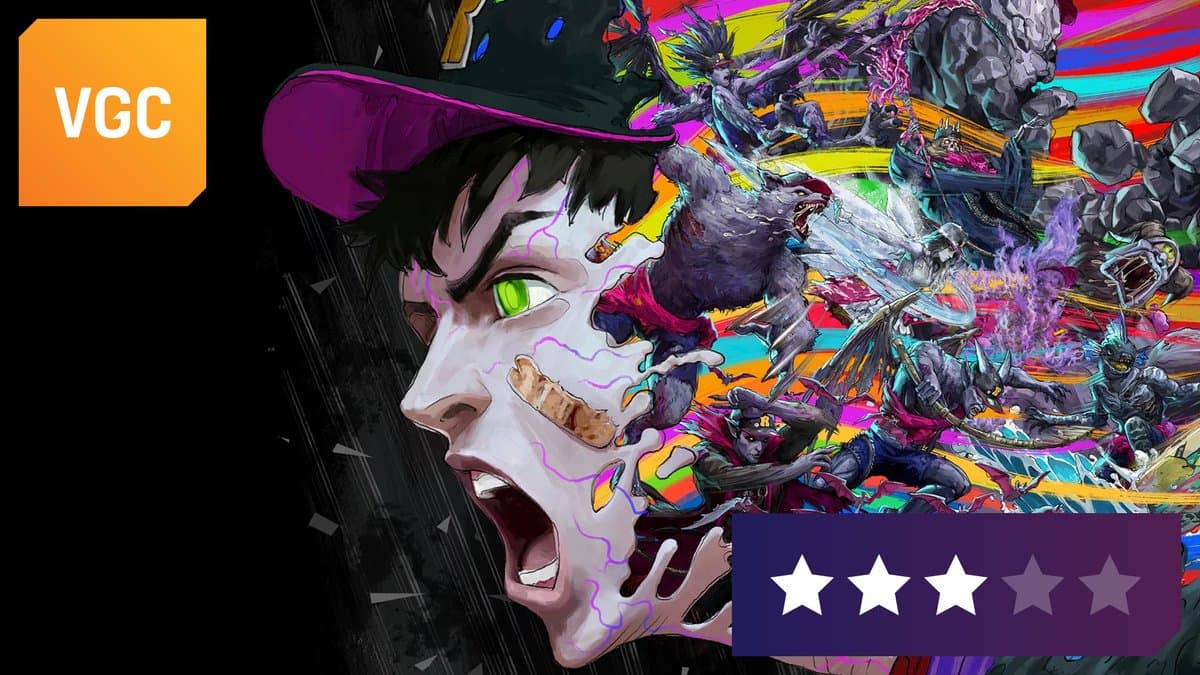
Stupid Never Dies review: Capcom veterans resurrect the PS3 era with a quirky, off-beat action game.
⭐️⭐️⭐️
https://t.co/pK2Pi8SAcX
⭐️⭐️⭐️
https://t.co/pK2Pi8SAcX
1.13 - More fixes for objects that fall through the world.
I continue to plug holes! I think I've got all of them now, thanks to the bug reports from you lovely people!

🍄 MYCOPUNK 1.0 🍄 FEATURES:
- a new employee 💜
- new missions, including a (secret) one to find the perfect couch 🛋️
- a new weapon / grenade 🔫
- a new explorable region 🌕
- hats. 🎩
- a redesigned home 🚀
and a whole lot more… so hop on the punk. 😎🎮
- a new employee 💜
- new missions, including a (secret) one to find the perfect couch 🛋️
- a new weapon / grenade 🔫
- a new explorable region 🌕
- hats. 🎩
- a redesigned home 🚀
and a whole lot more… so hop on the punk. 😎🎮
Demo added to libraries over 50,000 times! A cape gift to say thank you
The SLAM TANK demo has been added to Steam libraries over 50,000 times! A heartfelt thank you to everyone who's joined us.
To thank you for your support, we're preparing an event where you can receive a cosmetic cape to customize your tank in the full game as a gift.
The dates shown on the cover image are the dates of Steam Next Fest. We'll announce the participation period for our cape thank-you event and how the reward will be distributed at a later date.
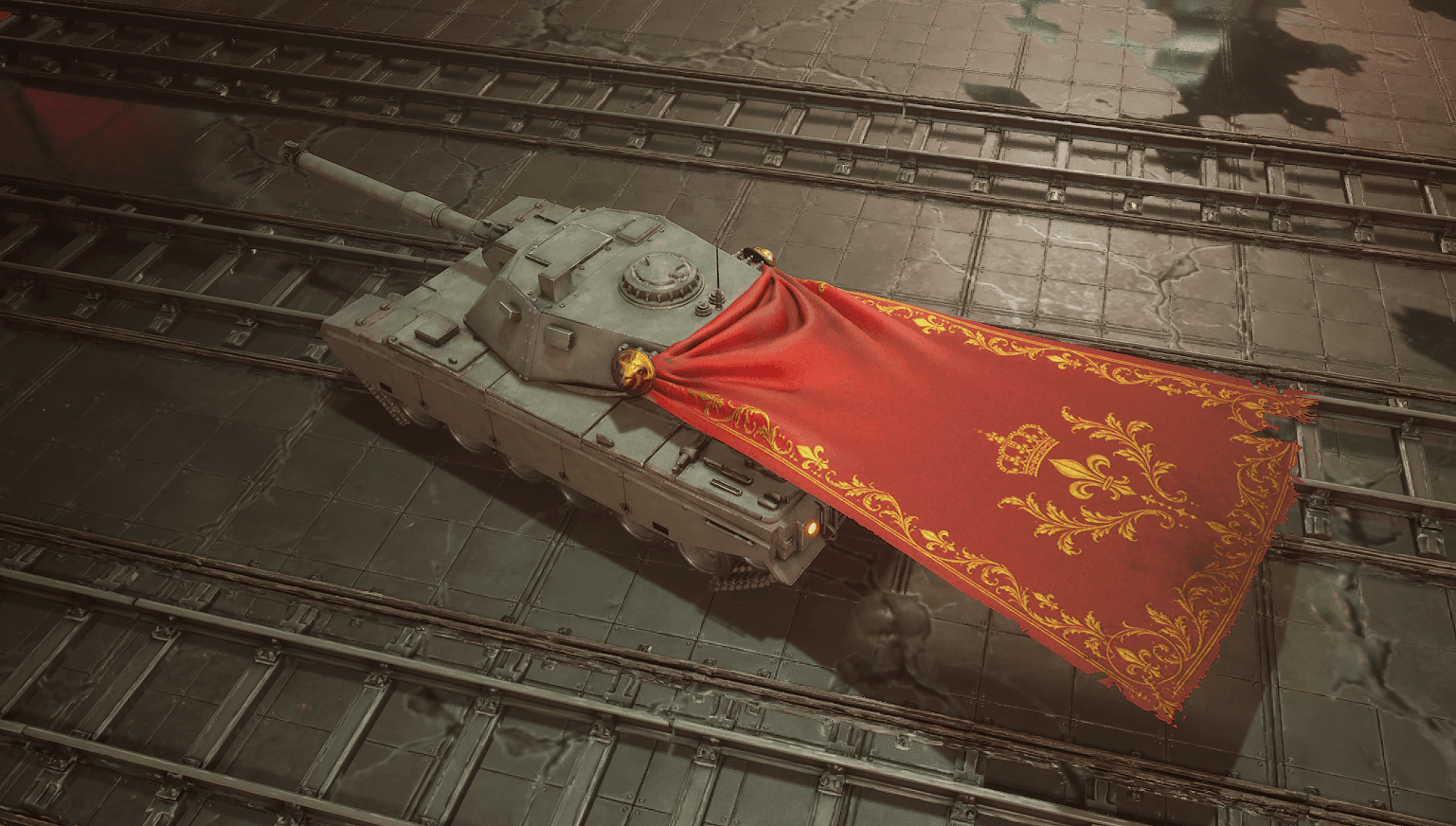
Make your tank your own in the full game with this red cape featuring gold patterns.
[looping_media webm=" https://shared.fastly.steamstatic.com/store_item_assets/steam/apps/5321770/extras/a553a44f1fd6f72a0952d8d248e077ac.webm?t=1791004132"][/looping_media]
[looping_media webm=" https://shared.fastly.steamstatic.com/store_item_assets/steam/apps/5321770/extras/e660027c08a9c7eaa6a70e8b9f3c67b1.webm?t=1791004132"][/looping_media]
The images and videos show the game in its current state of development. We plan to make further improvements for the final version.
We plan to give the cape to players who meet one of the following conditions :
• Play the demo for at least 20 minutes
• Complete the demo
The full game is required to use the cape.
We'll announce event dates, detailed participation requirements, and when and how to claim the reward at a later date.
Thank you for your interest and participation!
To thank you for your support, we're preparing an event where you can receive a cosmetic cape to customize your tank in the full game as a gift.
The dates shown on the cover image are the dates of Steam Next Fest. We'll announce the participation period for our cape thank-you event and how the reward will be distributed at a later date.
Make your tank your own in the full game with this red cape featuring gold patterns.
[looping_media webm=" https://shared.fastly.steamstatic.com/store_item_assets/steam/apps/5321770/extras/a553a44f1fd6f72a0952d8d248e077ac.webm?t=1791004132"][/looping_media]
[looping_media webm=" https://shared.fastly.steamstatic.com/store_item_assets/steam/apps/5321770/extras/e660027c08a9c7eaa6a70e8b9f3c67b1.webm?t=1791004132"][/looping_media]
The images and videos show the game in its current state of development. We plan to make further improvements for the final version.
We plan to give the cape to players who meet one of the following conditions :
• Play the demo for at least 20 minutes
• Complete the demo
The full game is required to use the cape.
We'll announce event dates, detailed participation requirements, and when and how to claim the reward at a later date.
Thank you for your interest and participation!